A global place for general discussion (Volvo, V3M or non-Volvo related topics).
Please introduce yourself here, your Volvo 300 hobby... NO technical support, parts requests or car advertisements here
I have just started learning this stuff, it seem to be rather difficult, using program is not so hard but getting those lines to correct places is pain, maybe gets better when I learn.
4 hours work that is looking very bad, need to redo again, maybe several times until I get it show up right.
Could be that also my reference pic aligment is not too perfect, at least those lines in pics are way too thick, imo. Maybe someday I can finish this model and learn lot of new skills along with it
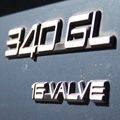
Do you want my blueprints, as I've got the sizes right for the 340 I'm working on now.
I was pointed to this site for good tutorials http://www.carbodydesign.com/car-design-tutorials.php The one for the Mazda RX8 is quite good at simply explaining the process simply. Ask if you have any questions, and good luck with the fun world of 3D modeling
I have read now how to make reference images showing up properly http://www.3dm3.com/tutorials/maya/car/ that is tutorial for Maya, but it is pretty much of same for 3ds too.
I got my bluepruints from Suurland's site, but I do have possibility to scan those same images with better resolution, which I may do if this http://www.maxhelp.com/content/tutorial ... erence.htm does not help enough for thick lines problem.
I think mine were scanned from a broshure, but it was for a hatch, so I had to paste the rear of a saloon over (the saloon was lower resolution, so I wanted to use the hatch one for most of the body.
Suurland is indeed great along with onno van bram, except I can't spell either . SMCars is good too, not sure what the url is though.
This looks cool, didn't realise you could run off bitmaps in 3 plans, might have to have a read of the tutorials, I'm sure the uni has 3DSmax somewhere
Last edited by Chris_C on 08 Feb 2006 05:49 pm, edited 1 time in total.
In the perspective view you can alter the angle to whatever you want, so you you can put in front, back, side, top plans etc, although to be honest, blueprints are onlr really usefull in the non-perspective views...
I've gotta do some more work and I'll post renders soon, I've been working on it for a few weeks but was keeping it quiet
I think that I'm learning little by little, this is what I made today when following one car making tutorial + developing few my own ideas for lights, materials and overall rendering setup.
Model is not yet very good, I think that it needs some finetuning after it has been put together, there is something odd near rear arch and I have been incapable of finding what is causing that, but let's see if I can even finished this tutorial, whole day gone and car is not possible to regonize
I can give my paint material if someone tells me how to export and share material in 3ds max?
Well I think I've finished it. I keep finding extra bits
I've never done any proper 'cool' renders in Max so this was a bit hit and miss. The paint looks a bit to deep and reflective, metalic perhaps, compared to the real paint. Looks like a showcar with a super paint job.
There's something up with the top of the side windows. It looks like paint is running down them?





 You using 3DS Max?
 . SMCars is good too, not sure what the url is though.